AFK Tips for Homerun Forge
Semi-idle pitching sessions that stay account-safe — no macros, no TinyTask, no fake “The Forge” mining AFK guides.
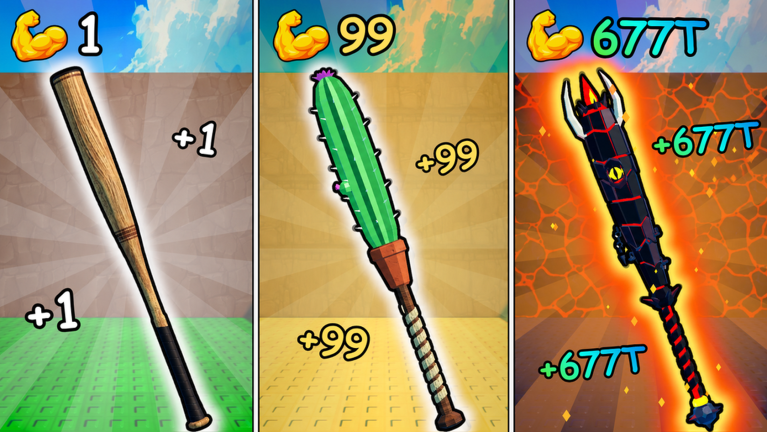
Players search “Homerun Forge AFK” when pitching machines feel endless. In +1 Homerun Forge by PrimeLoop Studio (place 124325048529407), the honest answer is semi-idle training, not true zero-input farming. You still need a living client, occasional input, and a plan that converts strength into wall loot and forge rolls. This guide covers legitimate AFK-ish habits, anti-kick hygiene without cheats, when to leave the machines, and how mobile differs from PC.
Wrong game warning: AFK mining macros, pickaxe scripts, and cave-camp guides for The Forge (the mining RPG) do not apply here. Homerun Forge is train → smash stage walls → collect loot → forge bats. If a video shows ore veins or caves, close it and return to this loop.
Pair this page with Training and Strength for machine fundamentals, Controls for input setup, and the Guides Hub for the full map.
What “AFK” can mean without breaking rules
Roblox will disconnect idle clients. True hands-off overnight farms usually rely on macros, auto-clickers, TinyTask-style recorders, or executor anti-AFK modules — all of which violate Roblox Terms of Use and can cost the account. We do not teach how to set those up. Read the safety stance on the Scripts Hub and treat automation as a ban risk, not a progression tip.
Legitimate AFK-ish play means:
- You stay at a pitching machine with the window focused.
- Swings continue with light, real input (or short watch-and-tap blocks).
- You return on a timer to smash, collect, and forge.
- You never paste executors, download “undetectable” clickers, or share macro configs.
That style still saves mental energy compared to frantic multi-tasking, and it keeps progress real when a patch nukes every script overnight.
Positioning and camera for semi-idle training
- Stand centered on the machine pad so pitches or targets stay in swing range without constant strafing. Use Map and Locations if you are still learning which lane is least crowded.
- Lock a stable camera — slight overhead or behind-bat angles reduce misclicks when you glance away. Avoid extreme zooms that hide the next pitch.
- Equip your best smash bat before you plant so you can leave the lane and hit a wall immediately when the block ends (Best Bats mindset, even if you only train with mid gear).
- Clear HUD clutter — close shop panels and code UIs so a stray click does not teleport you into menus. See Controls.
- Pick a low-lag server — delayed swings feel “AFK broken” when the real issue is ping.
Redeem anything live on Codes before a long block so strength or coin boosts overlap your machine time.
Anti-kick habits (manual only)
Without macros, keep the session alive the boring way:
- Nudge the camera or take one intentional step every few minutes if Roblox starts feeling sticky.
- Keep the Roblox window in the foreground on PC; backgrounded clients disconnect faster on many setups.
- Disable aggressive power-saving that sleeps the display mid-swing (details in the mobile section below).
- Use short session blocks (10–20 minutes) instead of hoping an eight-hour AFK survives.
- Rejoin promptly after a kick; do not “fix” with third-party reconnect tools.
If someone offers TinyTask recordings, auto-clicker profiles, or script anti-AFK “just for training,” decline. Those shortcuts are exactly what moderation looks for. Our Scripts page explains community automation informationally and why we recommend normal play.
When AFK-ish training helps vs when you should play actively
Lean into semi-idle machines when:
- Your smash clear speed is fine but strength is the bottleneck (Training and Strength).
- You are between stage brackets and need a buffer before the next wall (Stage Progression).
- A timed strength boost from codes or a pass is running and you can babysit the window.
- You only have attention for light monitoring (homework open, waiting on food, etc.).
Stop training and play actively when:
- Inventory is full of materials that should hit the forge now (How to Forge Bats, Loot and Materials).
- A wall is one or two solid cycles from breaking — active aiming beats AFK ticks.
- You need to learn a new stage layout or forge UI decision.
- You are about to buy or evaluate passes — read Gamepasses with attention, not while half-asleep at a machine.
Idle strength that never becomes loot is wasted. Idle loot that never becomes a bat is also wasted. Convert on a schedule.
Session templates (15-minute cycles)
Use a phone timer or OS clock. Repeat until you hit a natural stop (full bag, boost expired, or fatigue).
Core 15-minute loop
- Minutes 0–8 — Train at pitching machines (semi-idle, window focused).
- Minutes 8–12 — Smash the current stage wall; collect every drop.
- Minutes 12–15 — Forge with a rarity goal, equip upgrades, scrap junk.
- Restart, or take a five-minute break away from the screen.
Boost window variant
If a code or shop boost is live: train first for most of the timer, smash hard in the final third, forge immediately after. Never let a boost die while you scroll skins.
Short attention variant (busy day)
Three cycles of 5 train / 5 smash / 5 forge beat one abandoned hour at the machine. Check Tools for forge and session checklists you can skim mid-run.
Mobile vs PC AFK differences
PC
- Easier to keep the client focused; use a second monitor for other tasks but keep Roblox visible and occasionally interactive.
- Watch thermal throttling on laptops — heat lag feels like “AFK stopped working.”
- Wired or stable Wi-Fi beats flaky hotspot drops that kick you mid-block.
Mobile
- Enable screen stay-on / disable auto-lock for the Roblox session (system settings), then restore normal lock after you quit.
- Prefer landscape so the swing control and pitch lane stay usable with one thumb.
- Plug in power; AFK-ish training drains battery and triggers low-power modes that dim or sleep the display.
- Lower graphics if the device thermal-throttles; missed swings waste the block.
- Be ready for touch notification popups stealing focus — silence non-critical alerts during a cycle.
Console players should treat “AFK” even more cautiously: dashboard overlays and idle power settings end sessions quickly. Manual short blocks still win.
Strength gamepasses (only if you already own them)
If you already purchased strength-related gamepasses, park those multipliers on machine blocks — that is the whole point of paying. Confirm what each pass actually does on Gamepasses before stacking assumptions. Passes do not make macros safe; they only multiply legitimate swings. Free players should still follow the same 15-minute convert loop and lean on Codes plus smart forging.
Stay current
Training rates, kick timers, and machine layouts can shift when PrimeLoop patches the place. Skim Updates after every Roblox “Updated” stamp, then adjust your block lengths. For routes between machines, walls, and the forge, keep Map and Locations bookmarked.
Related pages
- Training and Strength
- Controls
- Stage Progression
- How to Forge Bats
- Map and Locations
- Loot and Materials
- Gamepasses
- Codes
- Updates
- Tools
- Guides Hub
- Scripts Hub (safety stance — not a setup tutorial)
Train in short, watched blocks. Convert strength into smash and forge on a timer. Skip macros, TinyTask, auto-clickers, and executors. That is the AFK playbook that still works when the next update lands.
Frequently Asked Questions
Quick answers to the most common questions.
Can I truly AFK Homerun Forge overnight?
Not safely. Roblox idle kicks and any macro, TinyTask, auto-clicker, or script anti-AFK risks moderation. Use short semi-idle machine blocks and convert into smash and forge on a timer instead.
Do The Forge mining AFK macros work here?
No. The Forge is a different Roblox mining RPG. +1 Homerun Forge is pitching machines, stage walls, loot, and bat forging — those macros and cave camps do not apply.
How long should an AFK-ish training block last?
About eight minutes of machine time inside a fifteen-minute train → smash → forge cycle works well. Shorter five-minute bursts are fine on busy days.
Is it okay to use auto-clickers just for pitching machines?
No. Auto-clickers, macros, and executors violate Roblox rules and can ban the account. See the Scripts Hub for our safety stance; we do not teach setup steps.
Does mobile AFK training work better than PC?
Neither is truly AFK. Mobile needs screen stay-on, landscape, and power; PC needs a focused window and stable network. Both should still run timed convert cycles.