Homerun Forge Training and Strength Guide
Get more smash power per minute from pitching machines without wasting a whole evening AFK.
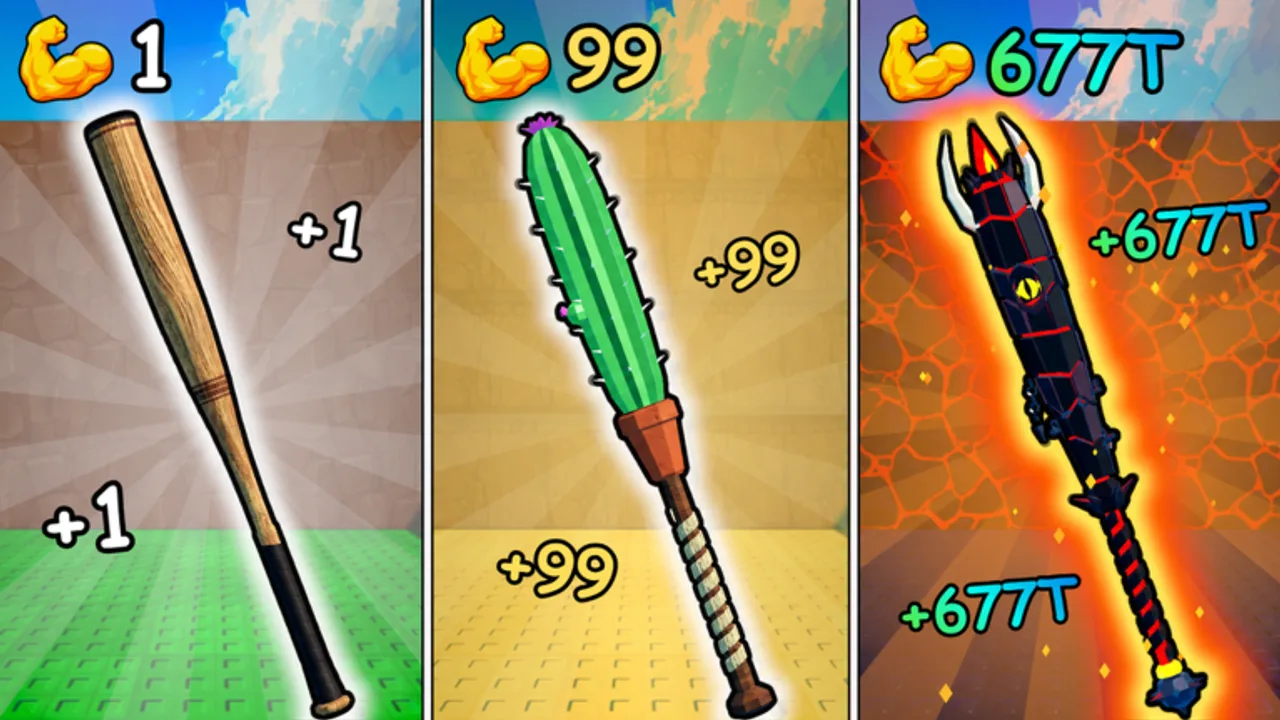
Strength is the hidden half of every Homerun Forge success story. A mythic bat in weak hands still ticks slowly on a thick stage wall, while a solid mid-tier bat backed by trained strength deletes early-to-mid barriers. This guide focuses on pitching-machine training inside +1 Homerun Forge, how to spend boosts from codes, and when to leave the machines for forging or stage pushes.
If you have not finished onboarding, skim Getting Started first. If your bat inventory is a mess, clean it with the tier list before long training sessions.
How pitching machines fit the loop
PrimeLoop’s game description highlights training swings on pitching machines to gain strength. Mechanically that means: stand at a machine, swing on the incoming pitches or targets, and watch your strength stat rise. Higher strength improves smash results on stage walls, which improves loot, which improves forge outcomes. Training is not optional flavor — it is a core currency.
Efficient training checklist
- Redeem boosts — any strength, XP, or coin codes from the Codes Hub before you plant yourself at a machine.
- Equip your best bat — some training setups feel better with higher-tier bats; at minimum equip your strongest smash bat so you can leave for a wall the moment a boost ends.
- Pick a low-lag server — delayed swings waste time and feel awful on mobile.
- Set a timer — 5–10 minute bursts beat aimless hour-long AFK with no spending plan.
- Spend the strength — after the timer, immediately hit a stage (Stage Progression) or open the forge (How to Forge).
Session templates
Starter template (first days)
Train 5 minutes → smash nearest wall → forge once → train 5 minutes → smash again. This teaches the full loop and prevents “I trained for an hour and still have a starter bat” syndrome.
Mid-game template
Train until the next stage wall drops in two to three solid hit cycles, then farm that stage for a full loot bag, then forge with a rarity goal. Return to training only when clear speed collapses.
Boost window template
When a code or shop boost is active, prioritize machines first, then walls, then forge. Never let a timed boost expire while you are scrolling skins.
Strength versus bat power
Think of strength as the engine and the bat as the transmission. Upgrading only one side creates bottlenecks:
- High strength + weak bat → walls chip but refuse to break cleanly.
- Strong bat + low strength → swings look fancy but meters barely move.
- Balanced pair → stages fall, loot flows, forge stays fed.
Use the Guides Hub articles together instead of isolating one system.
Mobile and ergonomics
Mobile players should enable any on-screen swing lock if available, reduce graphics if heat throttling slows inputs, and take hand breaks. PC players can bind comfortable keys and avoid overlapping UI click traps near the machine. Controllers should confirm dead zones are not eating swing inputs.
When training is the wrong action
Stop training and switch tasks if:
- Your bag is already full of high-tier materials waiting for a forge.
- A live code just dropped free forge loot (Codes).
- You are one wall away from a new loot bracket (Stage Progression).
- You are exhausted — bad sessions produce misclicks and wasted boosts.
Semi-idle / AFK-ish sessions
Long machine blocks are fine when you stay present enough to collect loot and forge afterward. For camera parking, stay-awake tips, and anti-kick habits that do not rely on macros, read the dedicated AFK Tips guide. Pair those sessions with the hub routes in Map and Locations.
Optional strength gamepasses
If you already planned a Robux spend, low-cost strength multipliers (2x / 4x / 8x and higher tiers) multiply every minute at the machines. Full verified prices and a buy-priority ladder live on Gamepasses. Free training still works — passes only compress time.
Automation note
Auto-swing scripts exist in the wider Roblox ecosystem and are tempting for pitching machines. They also risk moderation. Read the Scripts Hub safety section before considering any executor. Most players climb fine with timed manual sessions plus smart forging. Do not import TinyTask / AFK mining macros from The Forge RPG — that is a different game.
Tracking progress
Write down (or screenshot) your strength value at the start and end of a week. If the number rises but stages do not, your bat tier is behind — forge. If bats improve but walls still stall, train. That simple diagnostic keeps Homerun Forge from feeling stuck.
Related pages
- AFK Tips
- Gamepasses
- How to Forge Bats
- Stage Progression
- Map and Locations
- Bat Tier List
- Updates for patch changes to training rates
- Players for studio channels that announce boost events
Train with a purpose, leave the machines on a schedule, and convert every strength point into loot and better bats. That is how pitching practice becomes home-run progress.
Frequently Asked Questions
Quick answers to the most common questions.
Where do I train strength in Homerun Forge?
Use the pitching machines in the hub/training area. Swing repeatedly to raise strength, then spend that power on stage walls.
How long should I train per session?
Short bursts of five to ten minutes work well. Always convert new strength into stage clears or forge attempts afterward.
Do I need a good bat to train?
You can train with starter gear, but equip your best bat so you can transition straight into smashing when the session ends.
Why is training not helping my stages?
Your bat tier may be outdated. Forge an upgrade using the How to Forge guide and check the bat tier list.